How do I know if my audio is clipping?
Clipping is the crackly, fuzzy distortion you get when your sound is too loud for the system to hold. Here is how to spot it by eye, by ear and on a meter, and how to stop it happening again.
By Thomas, founder of CutScore · Published · Updated

Picture pouring water into a glass that is already full. Past the rim, the extra water does not stack higher, it just spills and makes a mess. Digital audio works the same way. Every recording has a hard ceiling, called 0 dBFS, and your sound wave can ride right up to it but not above. When a loud moment tries to go higher, the system has nowhere to put it. So it slices the top of the wave off flat. That flat top is clipping, and it sounds like grit.
The frustrating part is that clipping usually happens on the moments you care about most. A laugh, a punchy word, a sudden loud action. Quiet speech behaves itself and then one excited sentence smashes into the ceiling and turns to fuzz. I have shipped this exact mistake more than once: a perfectly calm intro, then I get animated thirty seconds in, and that is the bit that crackles.
Here is the thing worth getting straight early: clipping is not the same as loud. Loud is a feeling. Clipping is a failure. You can have a video that is plenty loud, sitting near −14 LUFS, with not a single clipped peak. The targets are short and boring, and they are entirely under your control. Let us go find the clipping.
Three ways to know if your audio is clipping.
Eyes, ears and a meter. Each one catches clipping on its own, but when all three agree you can stop second-guessing yourself and fix it.
| Test | What clipping looks like | How sure it makes you |
|---|---|---|
| Look · the waveform | flat tops | Loud peaks chopped into flat plateaus instead of rounded curves. Very reliable. |
| Listen · headphones | crackle & fuzz | A harsh buzz or grit on the loudest words. Your ears rarely miss real clipping. |
| Measure · the meter | ≥ 0 dBFS, red | The level touches or passes zero and the meter lights up red. Exact and honest. |
| True peak on export | over −1 dBTP | A true-peak meter reads above −1, so the platform re-encode may push it to clip. |
| Clip indicator light | stays lit | Many recorders and mixers have a clip LED that latches on once it overloads. |
Scrubbing the whole timeline for one clipped word gets old fast. CutScore scans the entire track, flags every clip with a timestamp, and tells you whether it is fixable or a re-record.
Catch the clip by eye, ear and meter.
1. The eye test: read the waveform
Open your clip in any editor and zoom in on a loud part. A healthy wave looks like rolling hills, peaks that rise and fall with rounded tops. Clipped audio looks like someone took a ruler to it: the tops are sliced flat, sitting in a straight line right at the edge. Those flat plateaus are the deleted peaks. The wider the flat section, the worse the clip. This one trick catches most cases in seconds, and it works in any timeline, free or paid.
2. The ear test: listen on the worst gear you own
Put on headphones and play the loudest moments. Clipping has a signature sound: a crackle, a fizz, or a harsh buzzy edge that arrives only on the loud words and vanishes when things go quiet. If clean audio is a smooth voice, clipped audio is that voice with sandpaper on it. Laptop speakers hide this, which is exactly why I trust them least. Headphones or decent monitors will expose grit your built-in speakers politely covered up.
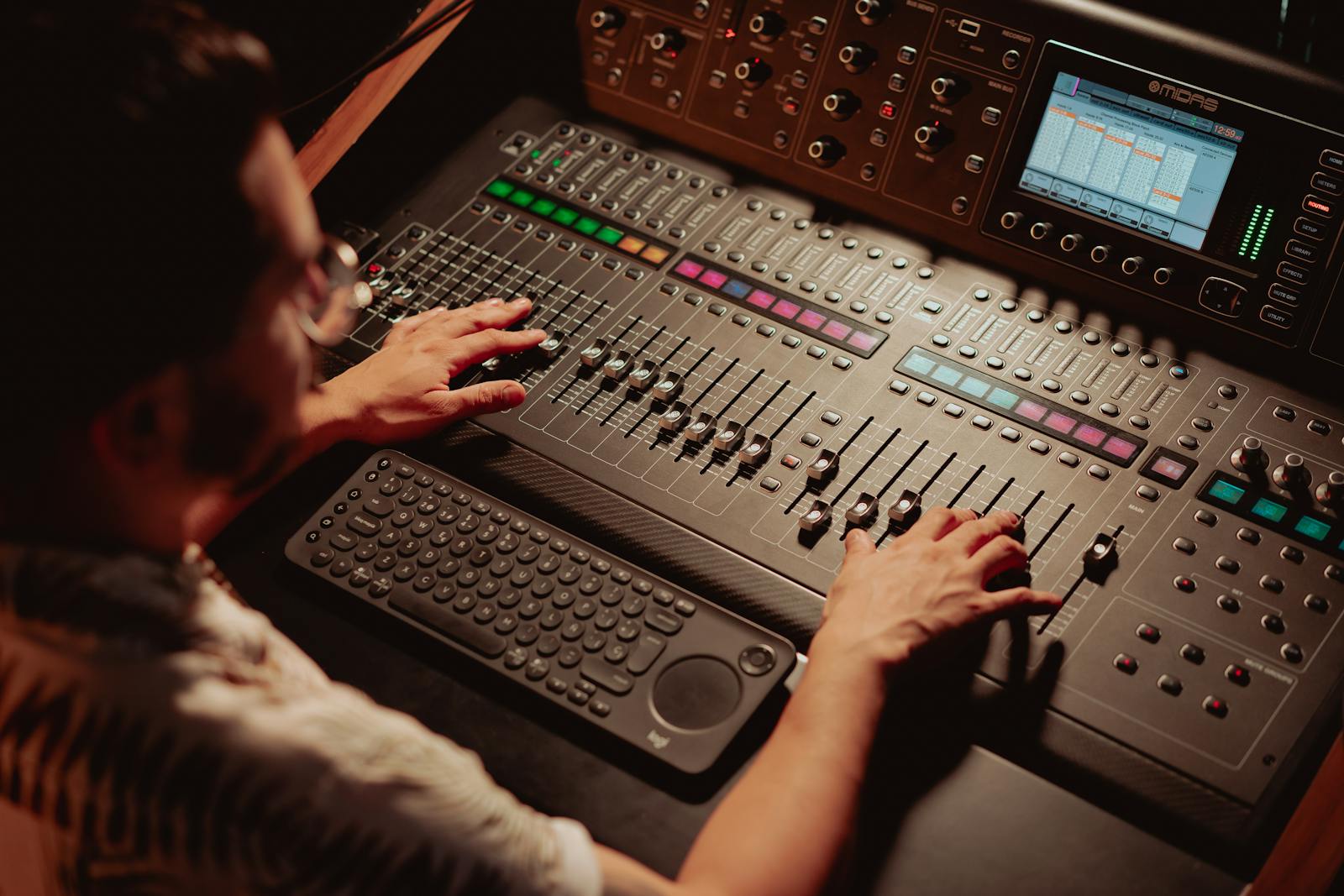
3. The meter test: watch for red at zero
Every editor has a level meter, usually a vertical bar that jumps with the sound. The scale tops out at 0 dBFS, and that zero is the ceiling. When a peak hits or passes it, the meter flashes red and often holds a little marker at the top so you can see you overloaded even after the moment has passed. A peak indicator that latches red is the clearest yes there is. For the final word, add a true peak meter and keep it at or below −1 dBTP, because that catches the clipping that only appears after the platform re-encodes your file.
Loud is allowed. Clipped is not.
It is easy to confuse the two, so let me draw the line clearly. Loudness is how strong the whole track feels, measured in LUFS, and the YouTube target sits around −14 LUFS. You can hit that target and still be perfectly clean. Clipping is a specific peak failure: the wave tried to go past 0 dBFS and got cut. So you can be loud without clipping, and you can also clip a quiet video if your input gain was set far too hot. Aim for loud and clean, not loud at any cost.
Here is a real CutScore coaching report for an everyday video: loudness, true peak and clipping all scored, with the exact timestamps where the audio goes wrong.
What to do once you have spotted it.
Whether you can save the take depends on how hard it clipped. Work through these three in order, from prevention to rescue.
By ear, by meter, or in one pass.
By eye and ear
Free, and good for obvious clips. Zoom the waveform, look for flat tops, then listen to the loud parts on headphones. The catch is that subtle true-peak clipping after upload can slip past your ears, and you have to remember to do it on every single video you make.
With a true-peak meter
Accurate and honest. A loudness meter plus a true-peak meter tells you exactly where you stand against −14 LUFS and −1 dBTP. The cost is time and know-how: you open the tools, read them right, and do it for every export. Great if you like meters. Plenty of people do not.
With a coach in one pass
Hand the file (or a link) to CutScore. It scans the whole track for clipping and true-peak overshoots, scores loudness against the right target, and gives you timestamps and fixes. No meters to read. See a sample report.
Frequently asked.
Stop the crackle before you publish.
CutScore scans your whole track for clipping and true-peak overshoots, then tells you exactly what to fix and where. Join the waitlist for early access.
You’re on the list.
We’ve noted your email. You’re in line for priority access and a free report when early access opens.