Why is my video too dark or overexposed?
Your camera guessed the exposure, the bright preview lied to you, and one part of the frame blew out or sank to black. Here is what actually went wrong, and how to read your shadows and highlights before you publish.
By Thomas, founder of CutScore · Published · Updated

I have shipped a video where my face was a grey smear against a glowing window, and I did not notice until a friend asked why I was filming from witness protection. The footage looked completely fine on my phone while I recorded it. That is the trap. Your camera and your screen are both quietly working against you, in opposite directions, and the result lands somewhere you never actually saw.
Exposure is just how much light the sensor captured. Too little and the image sinks toward black, detail drowning in noise. Too much and the bright parts climb past what the sensor can hold and lock to pure white, which is called clipping. The catch is that clipped white is empty. There is no information in it, so no slider in your editor can bring back the texture of that shirt or the clouds in that sky. Dark you can sometimes rescue. Blown-out you usually cannot.
And here is the part that gets everyone: your camera is making this decision for you, every second, automatically. It does not know what you care about in the frame. It just tries to make the average brightness look neutral. So the problem is rarely your gear. It is that the camera guessed, and you trusted the guess. Let us look at exactly where it goes wrong.
Why your video is too dark or overexposed.
Almost every exposure problem traces back to one of these. Each one has a tell you can spot, and a fix you can apply before you ever hit record again.
| Cause | What it does to the image | The fix |
|---|---|---|
| Bright background | A window or sky behind you makes the camera darken everything, so your face goes to silhouette. | light from the front |
| Dark room, no light | The camera cranks brightness and noise to compensate, leaving a murky, grainy picture. | add one soft light |
| Auto-exposure drifting | Exposure shifts mid-shot as you or the camera move, so brightness pulses on its own. | lock exposure (AE-L) |
| Bright preview lying | A phone at full brightness makes a dark shot look perfectly lit while you film. | check on a normal screen |
| Clipped highlights | Sky, white shirt or forehead hits pure white and the detail is gone for good. | expose down, protect white |
| Crushed shadows | Dark areas go solid black with no texture, looking like an unfinished raw clip. | lift shadows a little |
| Backlight metering | The camera meters off the bright part of the frame and underexposes the subject you care about. | tap to set on the face |
Your eyes adapt and your screen lies. CutScore reads the actual brightness data in your footage, flags every clipped highlight and crushed shadow with a timestamp, and tells you which way to nudge it.
How do I tell if it is actually wrong?
1. Read the histogram, not the screen
The screen is a liar; the histogram is not. A histogram is just a graph of how many pixels are dark (left), mid (middle) and bright (right). If the graph is piled hard against the left wall, your video is too dark and shadows are being crushed to black. Piled against the right wall, it is overexposed and highlights are clipping. You want most of the data living in the middle, with the brightest important thing (a face, usually) sitting in the upper-middle, and nothing slammed flat against either edge. Your phone and most editors have a histogram. Learn to glance at it, and exposure stops being a guess.
2. Protect the highlights first
If you have to choose, save the bright parts. A slightly dark shot can be lifted in editing; the shadows get a bit noisy, but the detail is there to recover. A blown-out sky or a clipped white shirt has no detail at all, because the sensor maxed out and recorded plain white. There is nothing to bring back. So when in doubt, expose a touch darker, keep the highlights intact, and lift the shadows later. This is the single habit that separates footage that looks finished from footage that looks like a phone snapshot, and it is half of what we analyze on the image side.
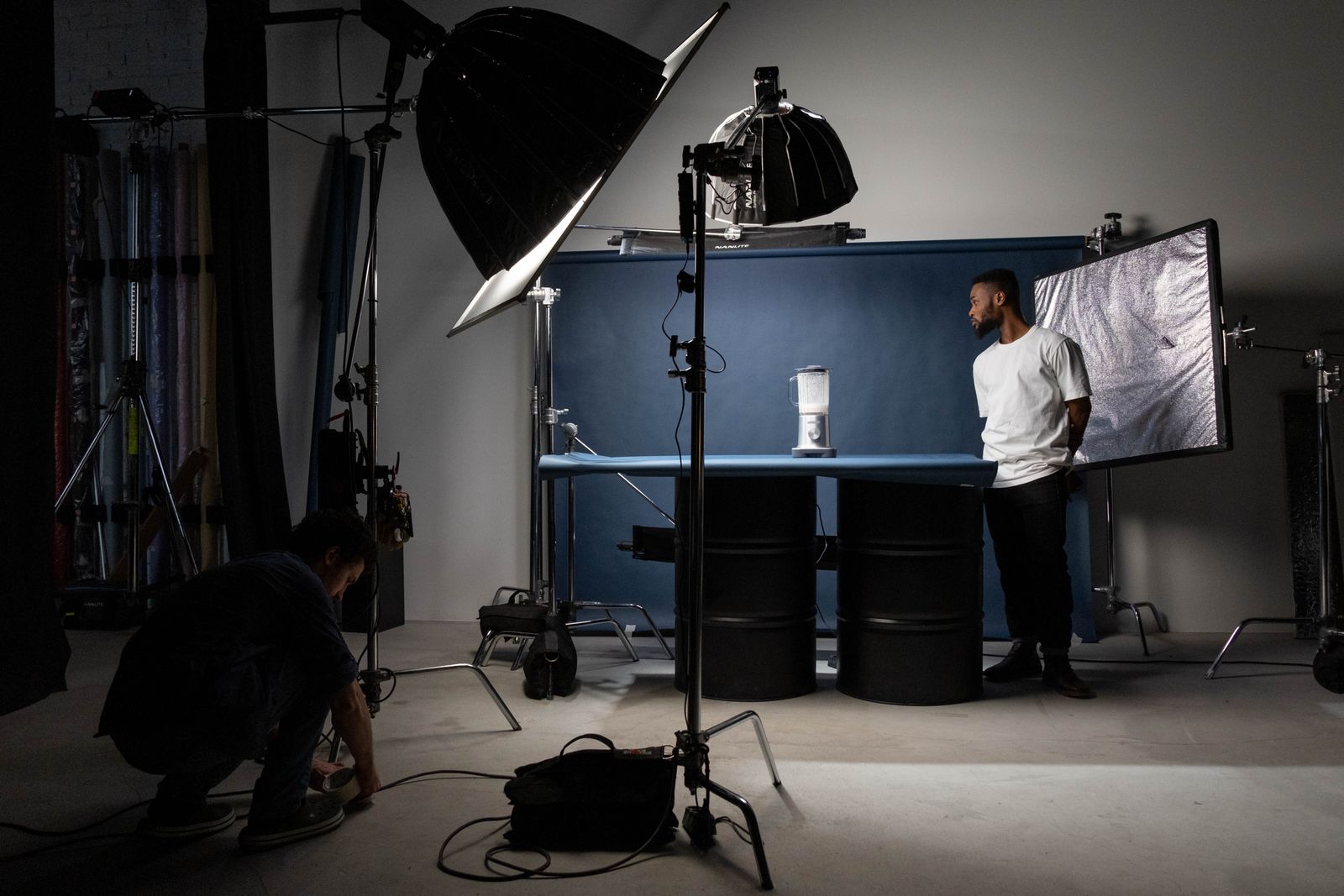
3. Light the front, not the back
The most common dark-face problem has the simplest cause: the brightest thing in the room is behind you. A window, a lamp, a glowing screen. The camera sees all that light, decides the scene is bright, and pulls everything down, which leaves your face in shadow. Turn around. Put the window in front of you, or add a single soft light facing you, and the camera has something well lit to meter on. You do not need a studio. One cheap softbox or a big window pointed at your face fixes nine out of ten underexposed talking-head shots.
4. Lock exposure so it stops drifting
Ever notice your video getting brighter and darker on its own as you move? That is auto-exposure rebalancing in real time. It is fine for snapshots and maddening for video, because the brightness pulses every time something in the frame changes. On a phone, press and hold on your subject until it locks (AE/AF lock), and now the exposure stays put. On a real camera, switch to manual exposure. Set it once for your subject, and the camera stops second-guessing you mid-shot.
5. Check it on a normal screen before you publish
This is the step that would have saved my silhouette video. Turn your screen brightness down to a normal level, the one a viewer would actually use, and watch the exported file, not the preview in your camera app. Better yet, watch it on a second device in a normal room. If the face is hard to see, it is too dark. If the bright areas have gone to featureless white, it is overexposed. Catching it here costs you two minutes. Catching it after publishing costs you the video.
Here is a real CutScore coaching report: exposure, clipped highlights, crushed shadows and white balance, all scored, with timestamps and the exact fixes.
The three fixes that solve most of it.
You do not need to relight your life. Most dark or blown-out footage comes back from these three moves alone.
By eye, by scope, or in one pass.
By eye
Free, and unreliable. Your eyes adapt to whatever screen you are on, and a phone at full brightness hides a dark shot completely. Works best on a normal screen, in a normal room, after a break from the footage. Judge the face: if it is hard to see, it is too dark.
With a histogram or scope
Accurate and honest. A histogram or a waveform scope shows exactly where your pixels sit and whether anything is clipping at the top or crushing at the bottom. The cost is knowing how to read it and opening it for every clip. Great if you like the technical side. Most creators skip it.
With a coach in one pass
Hand the file or a link to CutScore. It reads the brightness data across the whole video, flags clipped highlights and crushed shadows with timestamps, and folds exposure into a 0 to 100 score alongside the rest of the craft. No scope to read. See a sample report.
Frequently asked.
Catch the dark shot before anyone else does.
CutScore reads your exposure, flags every clipped highlight and crushed shadow, and tells you exactly what to fix before you publish. Join the waitlist for early access.
You’re on the list.
We’ve noted your email. You’re in line for priority access and a free report when early access opens.